Monday, March 23, 2020

Make edl cable to detect 9008 mode for Qualcomm devices

No comments

How to make Deep Flash Cable your own and Flash Device in EDL Mode

iFixit
RedMi_Pre_Order_Sale_Feature.jpg
Hello Mi Fans,
                     Today, I am here with an amazing part to flash ROM on bricked devices with a locked bootloader which is often called EDLMode. Though this part is tricky, if you follow this step-by-step guide you will be able to easily Flash ROM in your device. "We can buy this engineering Cable ie. DFC (Deep Flash Cable) to flash your device with a locked bootloader. But what if you don’t have access to such cable?"
Let me show you a DIY method. So let’s start!

Requirements
  • Pliers
  • Tweezers
  • Tape
  • Copper Wire
  • USB Cord of your device
  • A lot of patience

How To Do
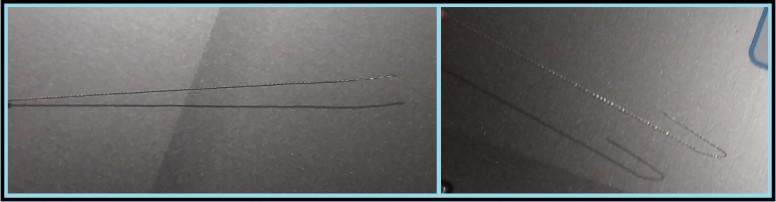
  • First of all, take the Copper wire and fold it in U-shape.

    IMG_20190409_105101.jpg

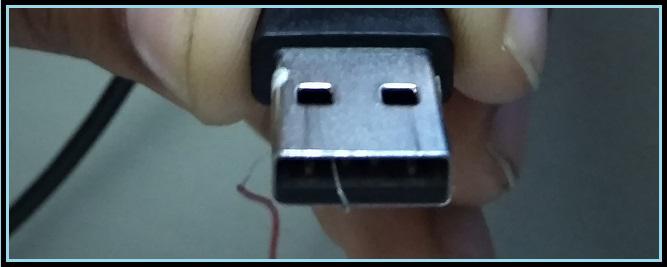
  • Now place the folded Copper wire in USB cord where you can locate 4 Gold pins.
  • Position the copper wire to the 2nd Terminal (Gold pin) from the left and make a little hook.

    IMG_20190409_112939.jpg

  • Make sure Copper wire doesn’t touch other terminals of the USB.
  • You can use tweezers to align the copper wire properly.
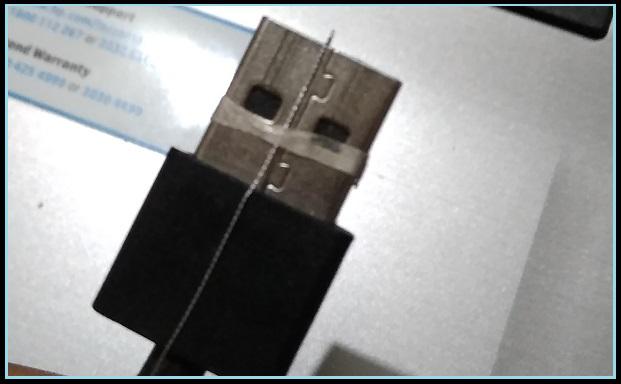
  • Once you follow these steps carefully, bind the wire from the outer side on the USB shield with the tape. (Don’t make it thick otherwise you may face difficulties while inserting the cable.)

    IMG_20190409_105630.jpg

  • Now make sure your device is switched off and plug the micro usb to your device.
  • Now plug the USB to your Desktop CPU or Laptop, whatever you are using.
  • Make sure that your device did not go into charging mode, otherwise, you have to follow steps 2 - 6 again carefully.
  • Once you are done with this pull of the copper wire with the help of Pliers and make sure nothing is left inside the USB.
  • You will hear your PC recognizing your device. Voila, you did it. :)


You can see connected ports under device manager as shown below.
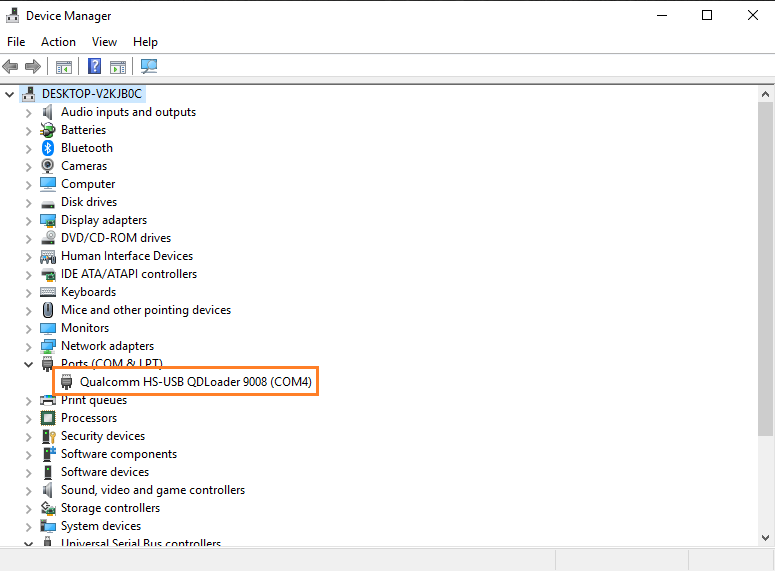
Untitled8.png

Now continue to this guide to do flashing.


Disclaimer: This tutorial is tested by me on Redmi Note 4. I shall not be responsible for any bricks or damage done to your phone. This tutorial is made to solve Unbrick issues as well as flashing ROM issues thru EDL mode. This method mainly works on "QC SD" processor-based devices, however, it may not work on the latest Mi devices

No comments :

Post a Comment

iPhone se 2020 is ready :)

Apple iPhone SE 2020 Speps Key Specs RAM 3 GB Processor Apple A13 Bionic Rear Camera 12 MP Front Camera 7 MP Battery 1821 mAh Di...